A little more room.
A lot less back and forth.
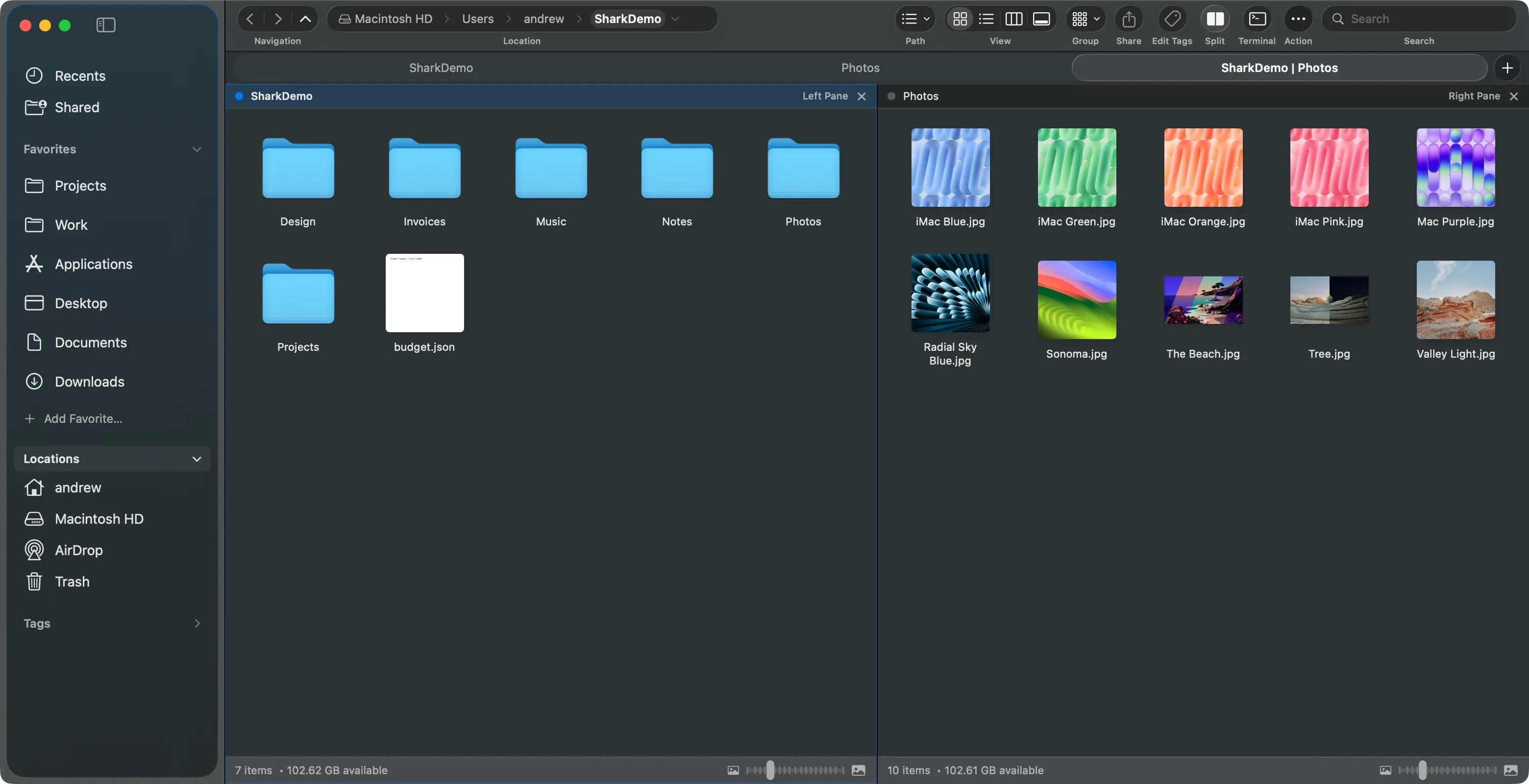
Keep your project folders in tabs. Open a second pane to move files between locations. Pin the places you use all day, and pick up where you left off.
Two places. One window.

Tabs, split panes, a built-in terminal, and quick previews.
All in a familiar Mac interface.
Free. Made for Mac. macOS 14 or later.
Feels like your Mac. Works the way you do.
For the folders you visit every day.
And everything you do between them.
Keep your project folders in tabs. Open a second pane to move files between locations. Pin the places you use all day, and pick up where you left off.
Two places. One window.

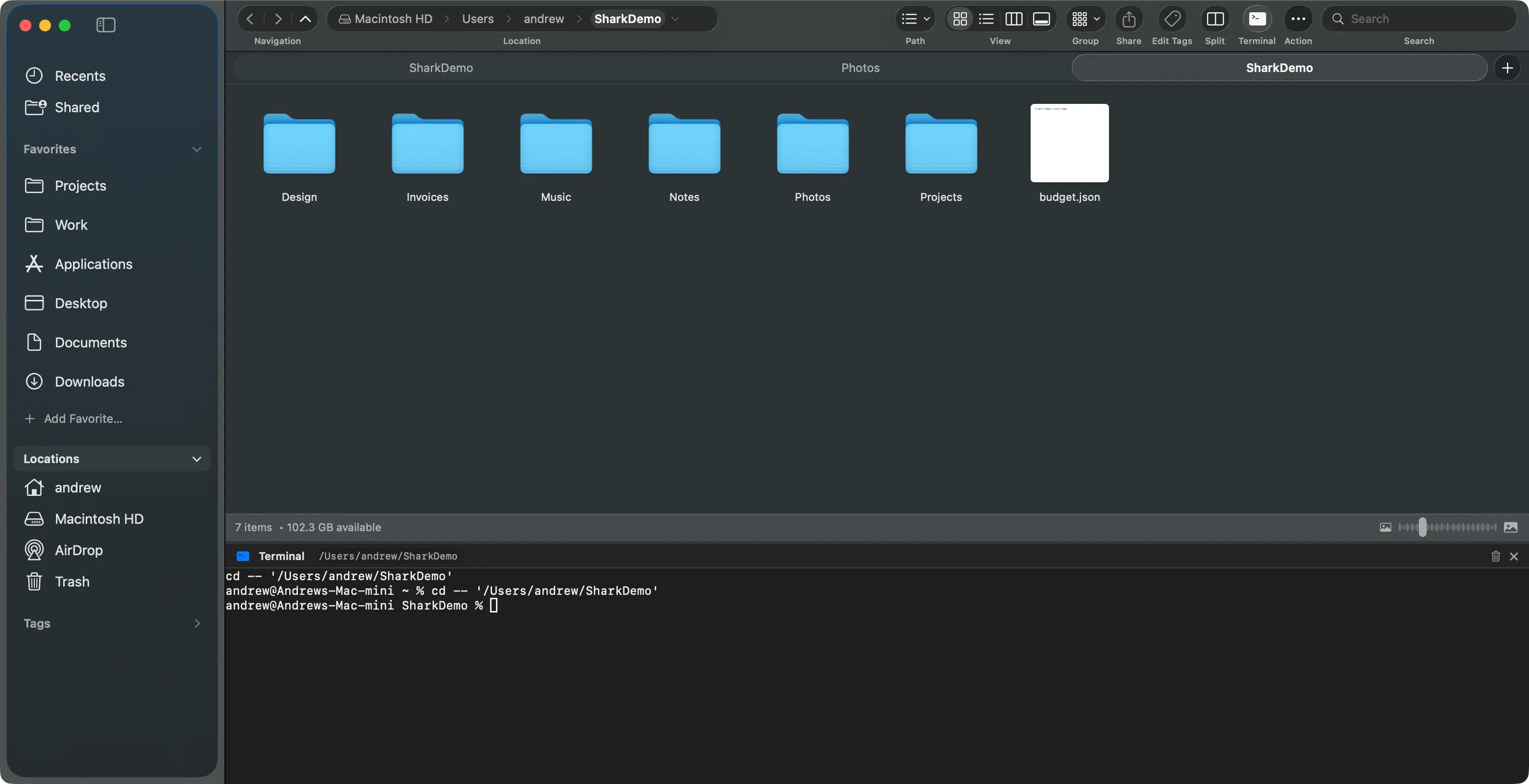
Your files above. A real terminal below. Browse to a project and start working: the terminal follows your active folder, so everything stays in context.
Less switching. More doing.

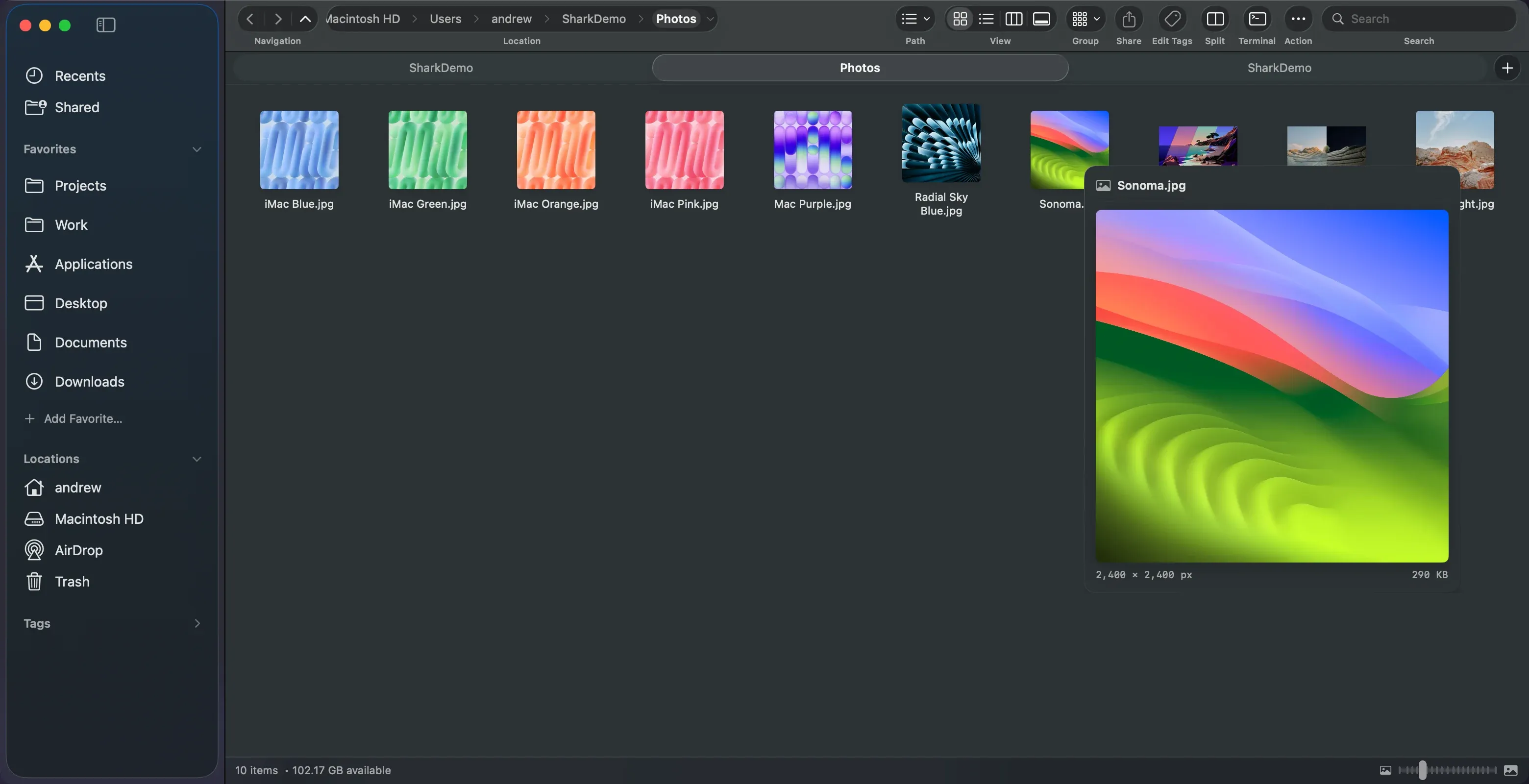
Hover to see inside images, documents, and text files. Preview video and audio with playback controls. Find the right file without opening another app.
A closer look, just a hover away.

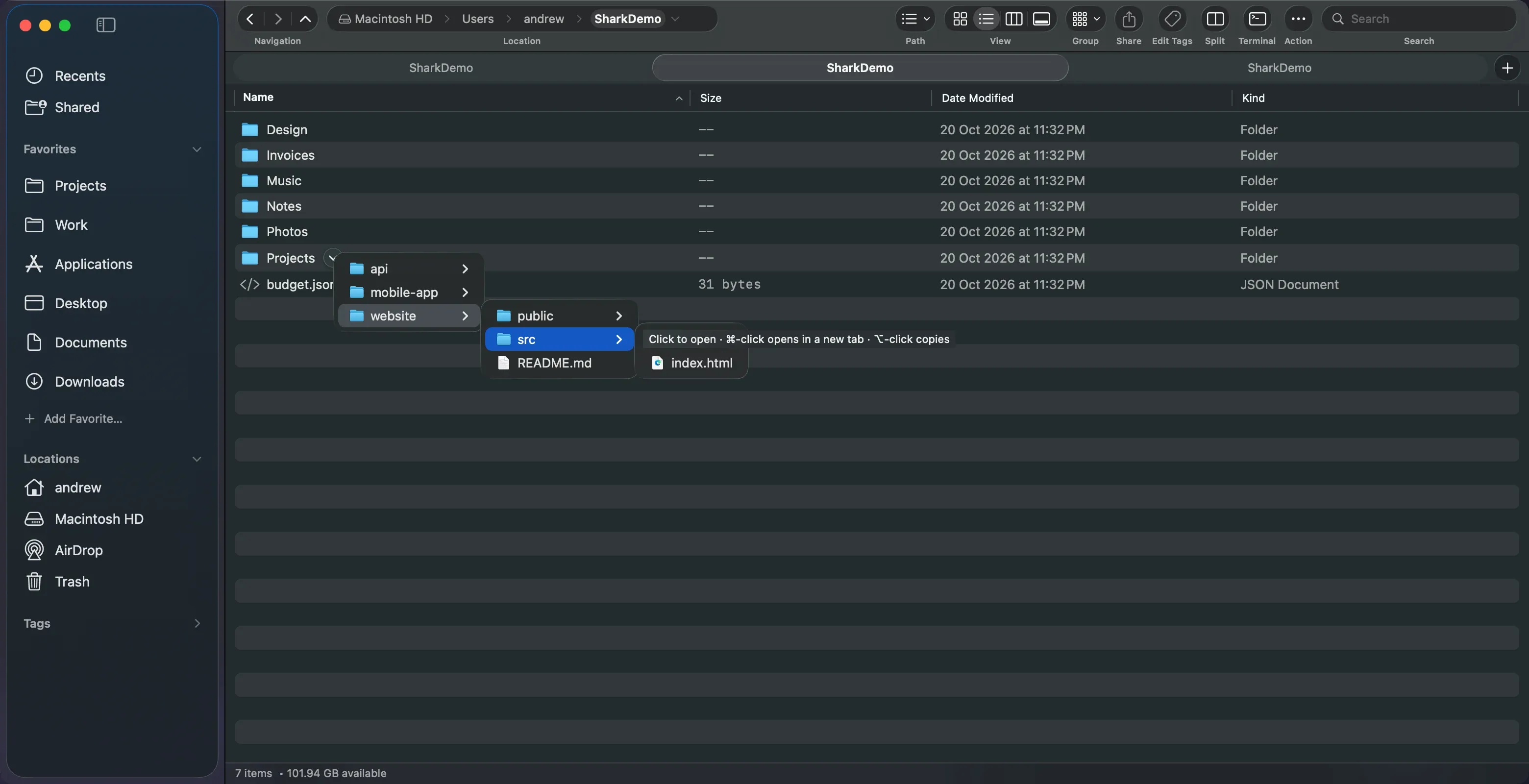
Explore a folder’s contents from a cascading menu. Browse into subfolders, open what you need, or send a folder to a new tab—all without leaving your current view.
Your next folder is within reach.

A few more reasons to make yourself at home.
Yes. Shark is free to download and use. You can also explore the source on GitHub.
Shark requires macOS Sonoma 14 or later and supports Apple silicon and Intel Macs. Native Liquid Glass chrome is available on macOS 26; earlier versions use system materials.
Download the latest Shark ZIP from GitHub Releases, unzip it, and move Shark.app to your Applications folder. Then open Shark to get started.
macOS protects folders such as Documents and Downloads. Allow access to the folders you want to browse when macOS asks. You can manage those permissions in System Settings.
Yes. Open tabs with ⌘T, jump to a path with ⌘L, and open the command palette with ⌘K. F3 toggles split panes and F4 opens the terminal. Depending on your keyboard settings, hold Fn with the function keys.
Your next favorite place for your files.
Download for macOSFree · macOS 14+ · Apple silicon & Intel